Launch Palworld
Start the game normally and wait for the main menu.
Follow this quick guide to join the server. You will need the server address and the password shared with you.
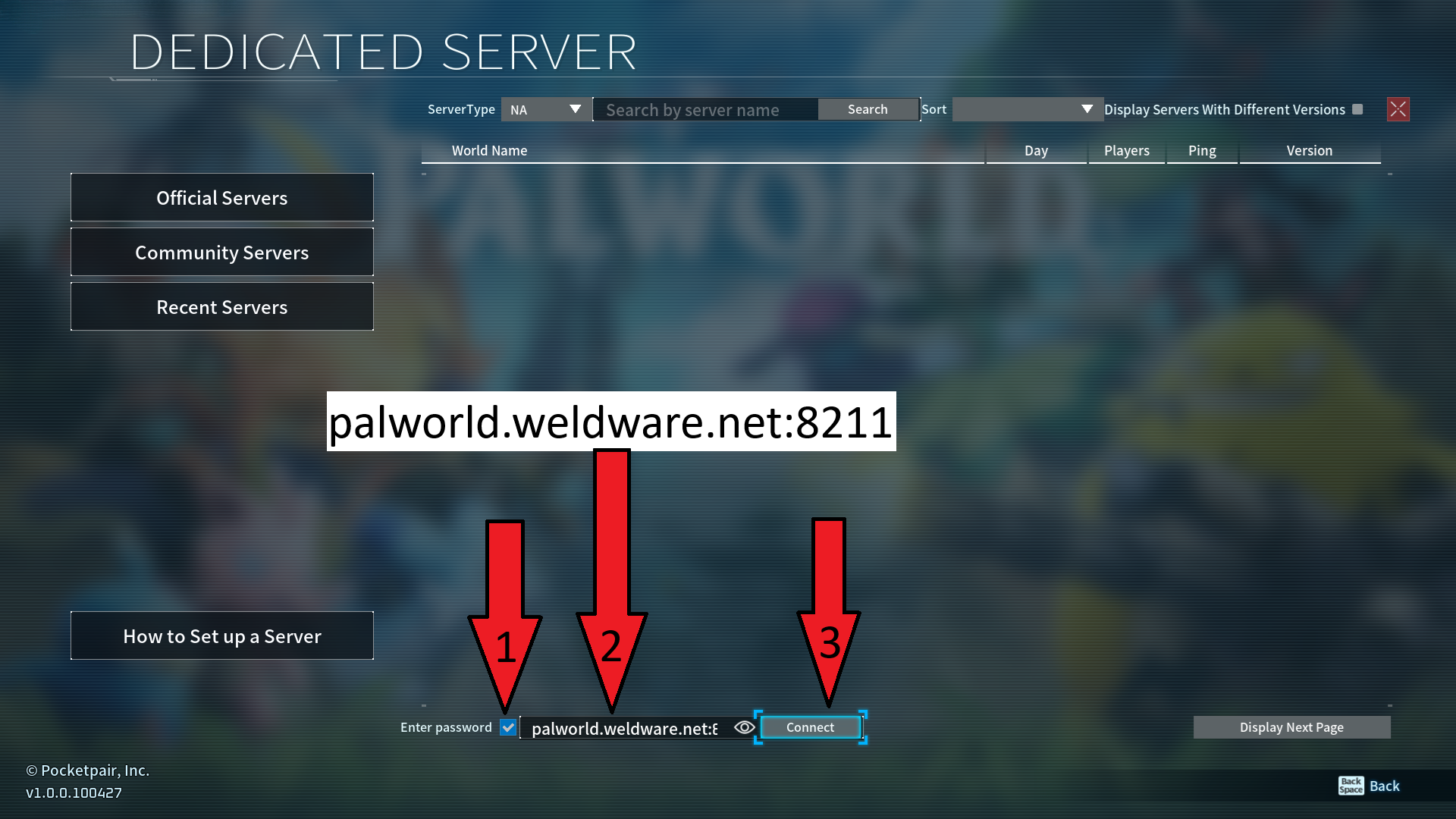
palworld.weldware.net:8211You will be in-game in six quick steps.
Start the game normally and wait for the main menu.
Select Join Multiplayer Game from the main menu.
At the bottom of the server list, check Enter Password.
Paste palworld.weldware.net:8211 into the server-address field.
Click Connect to reach the server.
Paste the server password shared with you, then join the adventure.
This invitation is intended for you. Do not forward it unless you also want to share server access.